VPN vs VPS: What’s the Difference and Which One Do You Need?
A VPN protects your connection, a VPS runs your software. See how they differ, which one you need and when a self-hosted VPN on a VPS makes sense.
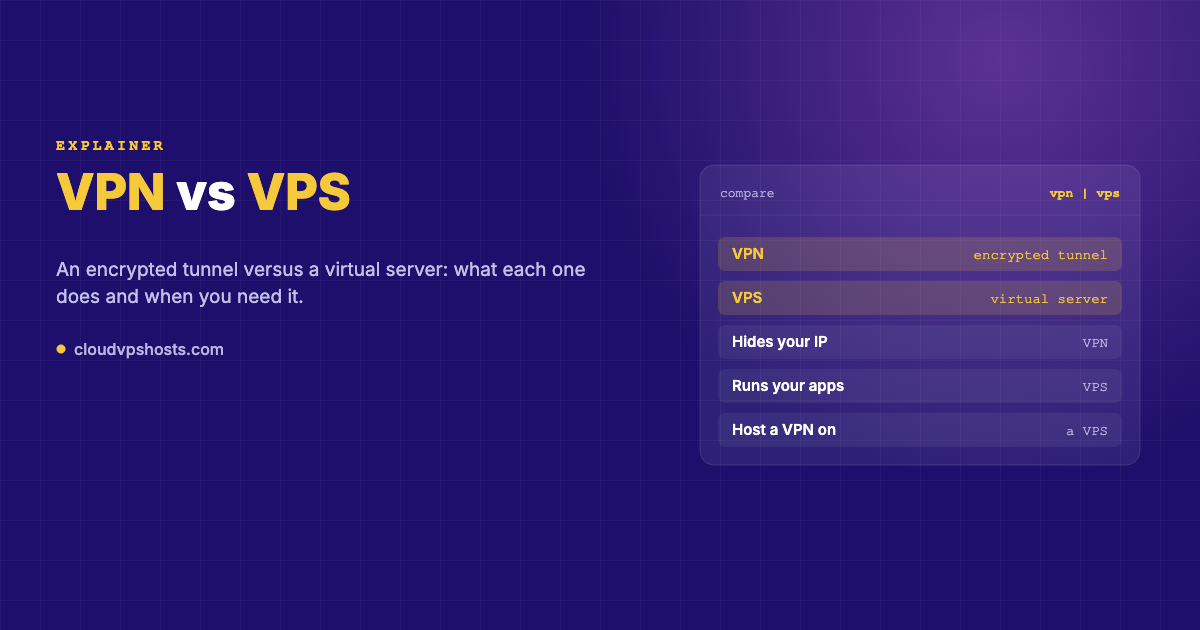
A VPN (virtual private network) is a service that encrypts your internet connection and hides your real IP address while you browse. A VPS (virtual private server) is a rented server in a data center that runs your own websites, apps or software around the clock. A VPN protects how you use the internet. A VPS is a computer you put things on. They solve different problems, though people often mix them up because the names are so close.
This guide explains how each one works, compares them side by side, and covers the question many people ask next: can you turn a VPS into your own VPN, and should you?
What does a VPN do?
When you connect to a VPN, your device builds an encrypted tunnel to a VPN server. Everything you send goes through that tunnel first, and websites see the VPN server’s IP address instead of yours. Your internet provider, or anyone else on the same Wi-Fi network, can see that you are connected to a VPN but not which sites you visit.
People use a VPN to:
- Stay safe on public Wi-Fi in airports, hotels and cafés.
- Keep their browsing private from their internet provider.
- Reduce tracking by advertisers that rely on IP addresses.
- Access their home country’s services while travelling, where the service’s terms allow it.
A VPN does not host anything. You cannot run a website or a trading bot on it.
What does a VPS do?
A VPS is a slice of a physical server with its own operating system, CPU, RAM, storage and public IP address. You get full administrator access (root on Linux, Administrator on Windows) and it runs 24 hours a day, whether your own computer is on or not.
People use a VPS to:
- Host websites, online stores and web apps.
- Run trading platforms and expert advisors close to broker servers.
- Host game servers, Discord bots and automation tools.
- Run development, test and CI environments.
- Use a full Windows desktop remotely over RDP.
VPN vs VPS at a glance
| VPN | VPS | |
|---|---|---|
| What it is | An encrypted tunnel service | A virtual server you control |
| Main purpose | Privacy and security while you browse | Hosting websites, apps and software |
| What you install | An app on your phone or computer | An operating system, web server, databases, anything you need |
| IP address | Shared with other users, can be changed in seconds | Dedicated to your server |
| Locations | Many countries, switchable in the app | One data center per server |
| Runs when your device is off | No | Yes, 24/7 |
| Technical skill needed | None | Basic to advanced server administration |
Which one do you need?
- You want to browse privately, protect your laptop on public Wi-Fi or appear in another country: a VPN.
- You want to host a website, run a bot or keep software running all the time: a VPS.
- You run servers and also travel or work remotely: both. Many developers use a VPN on their laptop and manage their VPS over SSH or RDP.
Can you use a VPS as your own VPN?
Yes. You can install WireGuard or OpenVPN on a Linux VPS and route your devices through it. Here is what that looks like in practice.
What you gain:
- A fixed IP address that belongs only to you. That is useful for allow-listing access to company systems, admin panels or databases.
- Full control over logs, protocols and settings.
- A private route into your other servers without exposing them to the internet.
What you give up:
- Privacy from websites. The IP is registered to you and used only by you, so your traffic is easy to link back to you. A commercial VPN mixes your traffic with thousands of other users.
- Locations. You get one country per server. Switching country means renting and configuring another server.
- Maintenance. You are responsible for updates, firewall rules, key management and fixing it when it breaks.
- Streaming. Most streaming services block data center IP ranges, so a self-hosted VPN on a VPS rarely works for them.
In short, a self-hosted VPN is a good networking tool for admins and teams. For everyday privacy, a commercial VPN service is the better tool.
What to look for in a VPN service
- An audited no-logs policy. The provider should have had an independent firm check that it does not keep records of what you do.
- Modern protocols such as WireGuard or a WireGuard-based protocol, for speed on phones and laptops.
- Enough simultaneous devices for your phone, laptop, tablet and TV.
- A kill switch that blocks traffic if the VPN drops, so your real IP never leaks.
- Servers near you and where you travel, for lower latency.
- Apps for every platform you use, including Windows, macOS, Linux, Android and iOS.
NordVPN is one service that covers these points: it uses its WireGuard-based NordLynx protocol, allows up to 10 devices on one account and has had its no-logs policy independently audited. If you already host with us, you can add NordVPN to the same account and invoice as your servers.
Getting started with a VPS
If a VPS is what you need, pick the operating system first. Linux VPS plans suit websites, Docker, bots and most open-source software. Windows VPS plans suit .NET apps, MetaTrader and anything that needs a Windows desktop. After deployment, follow our initial server setup guide and set up SSH key login before you install anything else.
Domains, SSL and VPN in one account
- Get NordVPN for up to 10 devices, billed alongside your servers.
- Hosting a site on your VPS? Register a domain or transfer one, then follow our DNS guide to point it at the server.
- Add an SSL certificate so visitors see the padlock. Not sure which type? Read DV vs OV vs EV SSL certificates.
Frequently asked questions
Is a VPS more secure than a VPN?
They protect different things. A VPN protects your connection while you browse. A VPS is a server whose security depends on how you configure and update it. Neither replaces the other.
Can I use a VPN to connect to my VPS?
Yes. A VPN on your laptop does not interfere with SSH or RDP connections to your server. If your server firewall only allows your home IP, remember to add the VPN’s IP or disconnect the VPN first.
Do I need a VPN if I use RDP to reach a Windows VPS?
RDP traffic is already encrypted. The bigger risk is leaving port 3389 open to the whole internet. Use strong passwords, change the default port or limit it to known IPs. Our guide on securing a Windows VPS covers this.
Is using a VPN legal?
Using a VPN is legal in most countries, but a few restrict or ban it, and illegal activity stays illegal with a VPN. Check the rules where you live and travel.
Will a VPN slow down my internet?
A little. Encryption and the extra distance to the VPN server add some latency. Choosing a nearby server and a WireGuard-based protocol keeps the slowdown small for most connections.